
For Enterprise IT
Fix the video call tickets your DEX dashboard can't
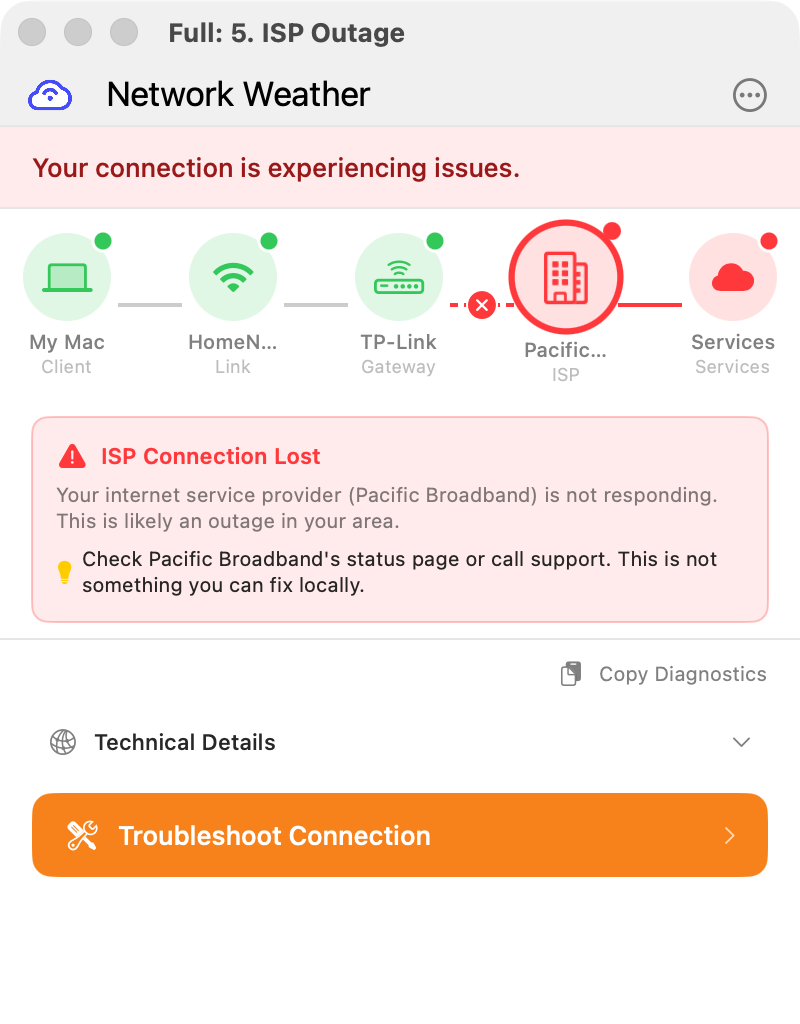
Your call center and remote teams need reliable VOIP, video, and remote desktop sessions. When calls drop, RDP lags, or Citrix freezes, your DEX tools show green while users complain. Network Weather sees what they can't.
The ticket your tools can't solve
RTO didn't fix this. Work still happens everywhere.
Knowledge workers spend at least some days outside your managed network
What your DEX dashboard shows when the user's home WiFi is the problem
Number of consumer routers your enterprise monitoring can see
Even with return-to-office, your people work from home on flex days, take calls from hotel rooms, and join video meetings from client sites. They connect to Citrix and RDP sessions over home WiFi and hotel networks. Road warriors, nights and weekends, hybrid schedules: it's the new normal. Your Nexthink or Lakeside dashboard can't see their home router, their hotel WiFi, or why their ISP is dropping packets. Network Weather can.
Built for the teams that depend on connectivity most
Network Weather handles the use cases DEX tools weren't designed for
Contact Centers & Call Centers
Agents on home WiFi can't deliver call quality your customers expect. Network Weather lets them pre-check their connection before shifts and self-fix issues between calls, without waiting on IT.
Remote & Hybrid Workforce
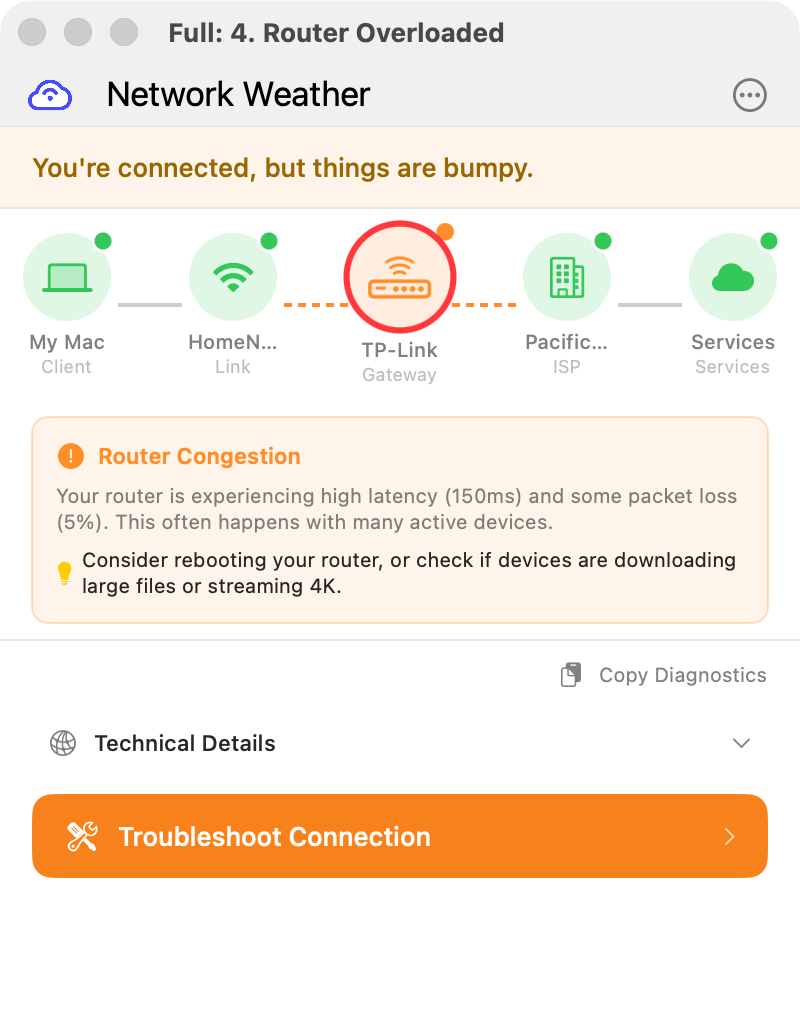
Flex days, home offices, coffee shops. Your DEX agent can't see a home router dropping packets. Network Weather diagnoses issues outside your managed network and gives employees clear steps to fix them.
Road Warriors & Field Teams
Hotel WiFi, client sites, airport lounges. Sales reps and consultants need reliable video calls from wherever they are. Network Weather tells them if the hotel WiFi is the problem and suggests switching to a mobile hotspot.
Remote Desktop & VDI
Citrix, RDP, and VDI sessions are even more sensitive to latency and packet loss than video calls. When a remote desktop feels sluggish, Network Weather tells the user whether it's their WiFi, their ISP, or the VPN tunnel, before they file a ticket.
Branch Offices
Smaller sites without dedicated IT staff. Employees in branch offices can diagnose and resolve network issues without escalating to central IT or waiting for a site visit.
Deploy across your organization in minutes
Works with your existing MDM and deployment tools
Microsoft Ecosystem
- Microsoft SCCM
- Intune MDM
- Group Policy (GPO)
- Windows Update for Business
Cross-Platform MDM
- Jamf Pro (macOS)
- Kandji, Mosyle, Munki
- Google Workspace
- VMware Workspace ONE
Silent & Secure
- No user interaction required
- Minimal system privileges
- No network packet inspection
- Pre-configurable via JSON
Self-hosted for full data control
Keep all telemetry on your infrastructure. No data leaves your network.
Docker & Kubernetes
Deploy the c2 server, log aggregation, and management dashboard as Docker containers or Kubernetes pods. Standard Helm chart included for production deployments.
Custom C2 Endpoint
Point all client agents to your own server URL. Configure via the client config.json or MDM configuration profile. No data leaves your network.
Disable External Services
Turn off Sparkle auto-updates (manage versions via MDM) and Sentry crash reporting. Full control over what the client communicates and to whom.
Centralized Logging
Aggregate diagnostic telemetry from all endpoints into your self-hosted log server. Forward to Splunk, Elastic, or any SIEM via standard protocols.
See the self-hosted deployment guide for detailed Docker, Kubernetes, and configuration instructions.
Self-triage that actually works
Employees fix their own call quality issues, no IT ticket required
Before the Call
Agent checks Network Weather before dialing, catches WiFi interference or ISP issues proactively
Deep Hardware Scan
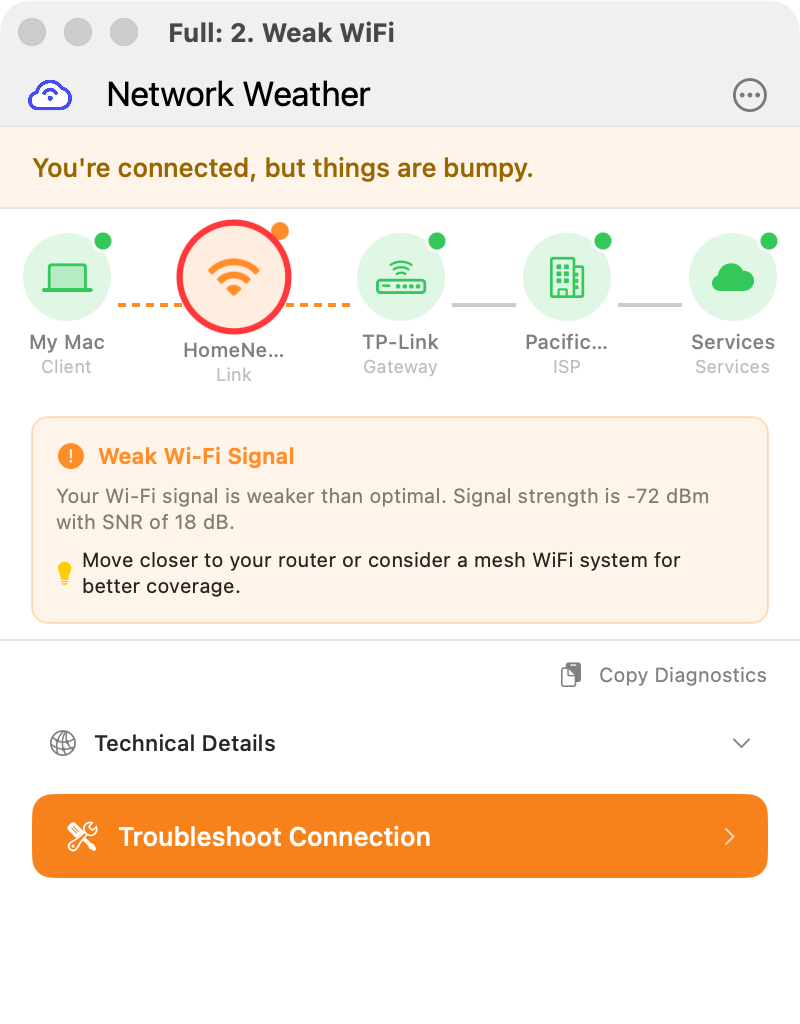
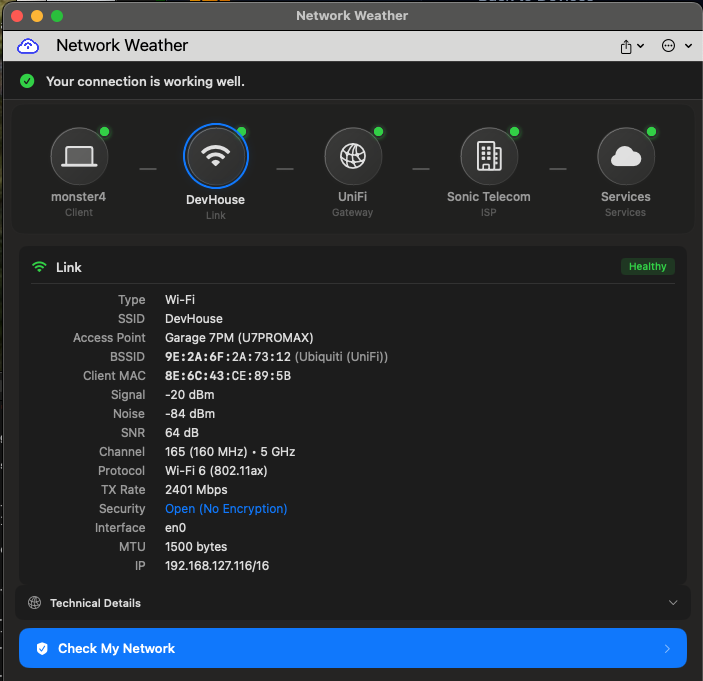
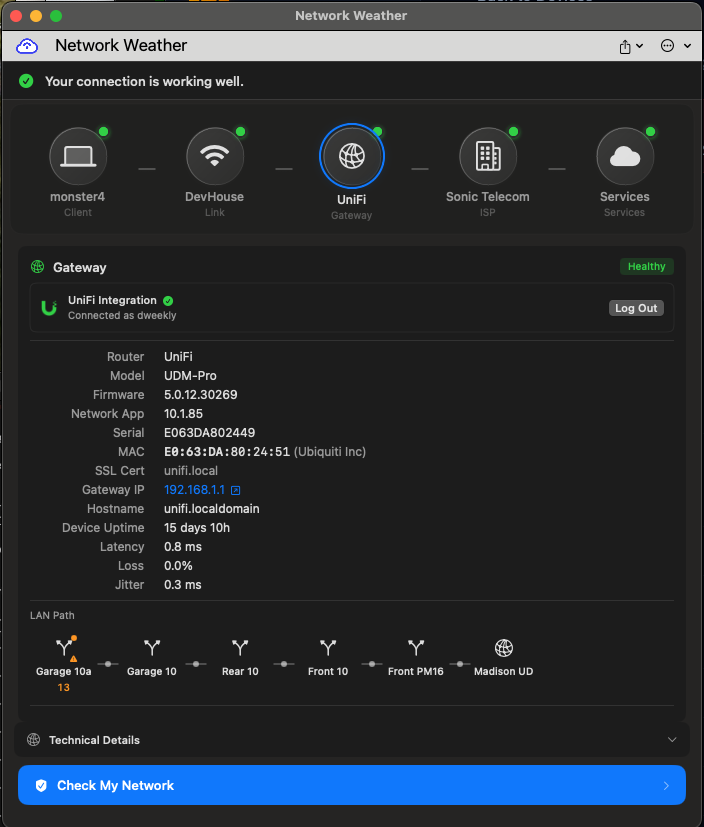
Tests router, WiFi channel, ISP path, and VPN. Sees what your DEX dashboard can't.
Plain-English Fix
"Your router is dropping packets. Restart it, or switch to channel 36 to avoid interference."
Instant Resolution
Employees fix issues on their own. No ticket, no wait, no IT time wasted.
Enterprise security & compliance
What we do and don't touch on the endpoint
Zero Trust compatible
Tested with Zscaler, Cloudflare Access, and Palo Alto Prisma. Network Weather runs alongside your ZTNA stack without interfering with tunnel routing.
No packet inspection
We measure latency, jitter, and packet loss. We never look inside packets, intercept DNS queries, or touch browsing history.
Signed and notarized
macOS builds are Apple-notarized and signed with a Developer ID certificate. Windows builds are Authenticode-signed. No Gatekeeper prompts, no SmartScreen warnings.
GDPR-ready
Collects network metrics only, no PII. Self-host to keep all data in your jurisdiction, or use our hosted service with EU-compliant data processing.
Secure the home front
Your employees access company resources from home networks you've never seen. Network Weather audits the equipment they're behind.
Firmware version checks
We read the router's firmware version and flag when it's out of date. Unpatched routers are one of the most common entry points for home network compromise.
End-of-life detection
If an employee's router is past its manufacturer's support date, it's no longer getting security patches. We flag EOL and EOS equipment so you know before it becomes a risk.
Default password detection
A surprising number of home routers still use factory-default admin credentials. We check for known defaults and prompt the user to change them.
LAN health indicators
Unusual DNS behavior, unexpected open ports, or suspicious ARP patterns can indicate a compromised device on the network. We surface these signals so your security team can investigate.
Integrates with your ITSM stack
Connect to your existing ticketing, monitoring, and alerting tools
Ticketing Systems
- ServiceNow
- Jira Service Management
- Microsoft System Center
- Remedy BMC
- Freshservice
- Zendesk
Monitoring & Analytics
- Splunk
- Datadog
- New Relic
- Elastic Stack
- Azure Monitor
- AWS CloudWatch
Communication
- Microsoft Teams
- Slack
- PagerDuty
- Email notifications
- Custom webhooks
- REST API
Two experiences, one deployment
IT gets visibility. Employees get answers.
What employees see
- Plain-English diagnosis: "Your WiFi signal is weak. Move closer to your router or switch to the 5GHz network."
- One-click diagnostics from the menu bar
- Step-by-step fix instructions they can follow without calling IT
- Weather metaphor: sunny (all good), cloudy (minor issue), stormy (something's broken)
What IT gets
- Fleet-wide visibility into endpoint network health across managed and unmanaged networks
- Telemetry data: WiFi signal strength, latency, packet loss, jitter, DNS resolution
- Automated ticket enrichment with diagnostic context when users do escalate
- Self-hosted option with full data sovereignty and custom c2 endpoint
Enterprise questions, answered
How is this different from Nexthink, Lakeside, or other DEX tools?
DEX tools monitor managed corporate endpoints and networks. Network Weather focuses on the last mile that DEX can't see: home WiFi, consumer routers, ISP issues, and hotel networks. It's complementary. Use your DEX tool for the office, Network Weather for everywhere else.
What platforms are supported?
macOS 14 (Sonoma) and later on Apple Silicon and Intel. Windows 11 and later. Both ship as signed installers (PKG for macOS, MSI for Windows) compatible with all major MDM and deployment tools.
Can we host everything on-premises?
Yes. The Network Weather backend (c2 server, log aggregation, dashboard) can be deployed as Docker containers or Kubernetes pods on your infrastructure. Configure client agents to point to your custom c2 URL. You can also disable Sparkle updates and Sentry reporting for complete isolation.
Does it require admin privileges?
Core diagnostic functionality runs with standard user permissions. Optional elevated modules (like direct router communication) can be enabled or disabled via the configuration file. For managed deployments, you can set neverAsksForAdminLogin: true to prevent privilege prompts entirely.
What data does Network Weather collect?
Network performance metrics only: WiFi signal strength, latency, packet loss, jitter, DNS resolution times, gateway health, and routing path data. It does not inspect network traffic, access browsing history, or capture packet contents.
How does it integrate with ServiceNow?
When an employee can't self-resolve an issue, Network Weather attaches full diagnostic context to the resulting ticket. Your IT team sees exactly what the user's network looked like at the time of the complaint, eliminating the back-and-forth "can you run a speed test?" dance.
Stop chasing call quality ghosts
See what your DEX dashboard misses. Give your call center agents and remote teams the tools to fix their own video, VOIP, and remote desktop issues.